NEW! LUNA Customizable Info Bars for Ecamm
NEW! LUNA Customizable Info Bars for Ecamm
Couldn't load pickup availability
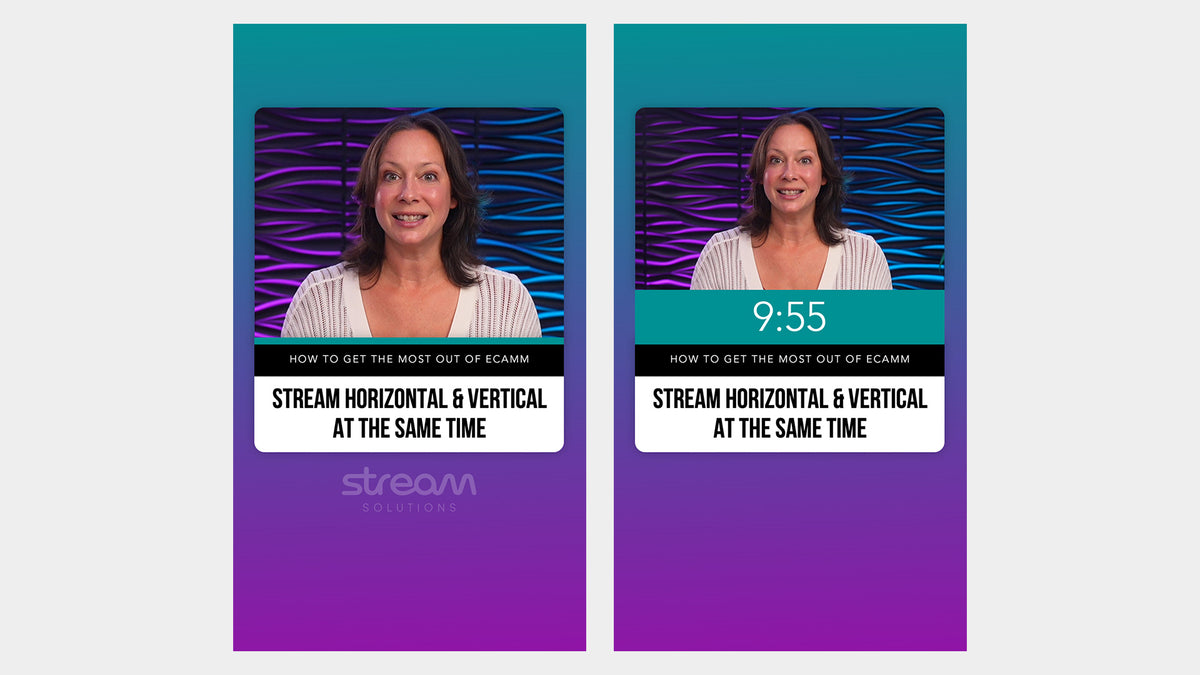
Display topics, questions, key information and more during live shows, training, webinars and other productions with these customizable Info Bars for Ecamm.
WHAT YOU'RE GETTING:
- 6x Customizable Scenes
- Horizontal & Vertical Layouts
- PDF Help Guide
COMPATIBILITY:

HOW THEY WORK:

These scenes can be used with ANY Ecamm Profile, but their design matches our LUNA Dual Layout Profile. Each scene includes both horizontal and vertical layouts.
All the Info Bars share the same basic design, but each one is optimized for displaying different information at the start of the bar. Options include:
- Countdown Timer
- LIVE text
- Full logo
- Smaller logo mark
- No logo or text
We recommend using the free Google font Bebas Neue for the large text inside the bars, and we include a PDF guide explaining how to install it.
CUSTOMIZABLE:
You can choose what to display in the first section of the bar, such as your logo, LIVE text, or a countdown timer.
Some of the bars display the current date by default. You can change the date format, switch it to the current time, or choose not to display it at all.
Because the bars are created using shape overlays, you can quickly change the colors to match your brand directly inside Ecamm.
You can also adjust the opacity of the semi-transparent background that sits between your camera and the bars.
All text is fully editable directly inside Ecamm.
ALTERNATIVE DESIGN:
This product is also available in our NOVA design, offering the same layouts and assets with a different visual style.
EASY TO SETUP:
All you need to do to get started is to open the provided scenes file in Ecamm. This will load all the pre-built scenes into your current profile.
Important: these Scenes require Ecamm Live V4.5. Dual Mode requires a Pro Plan.