LUNA Customizable Dual Layout Profile for Ecamm
LUNA Customizable Dual Layout Profile for Ecamm
Couldn't load pickup availability
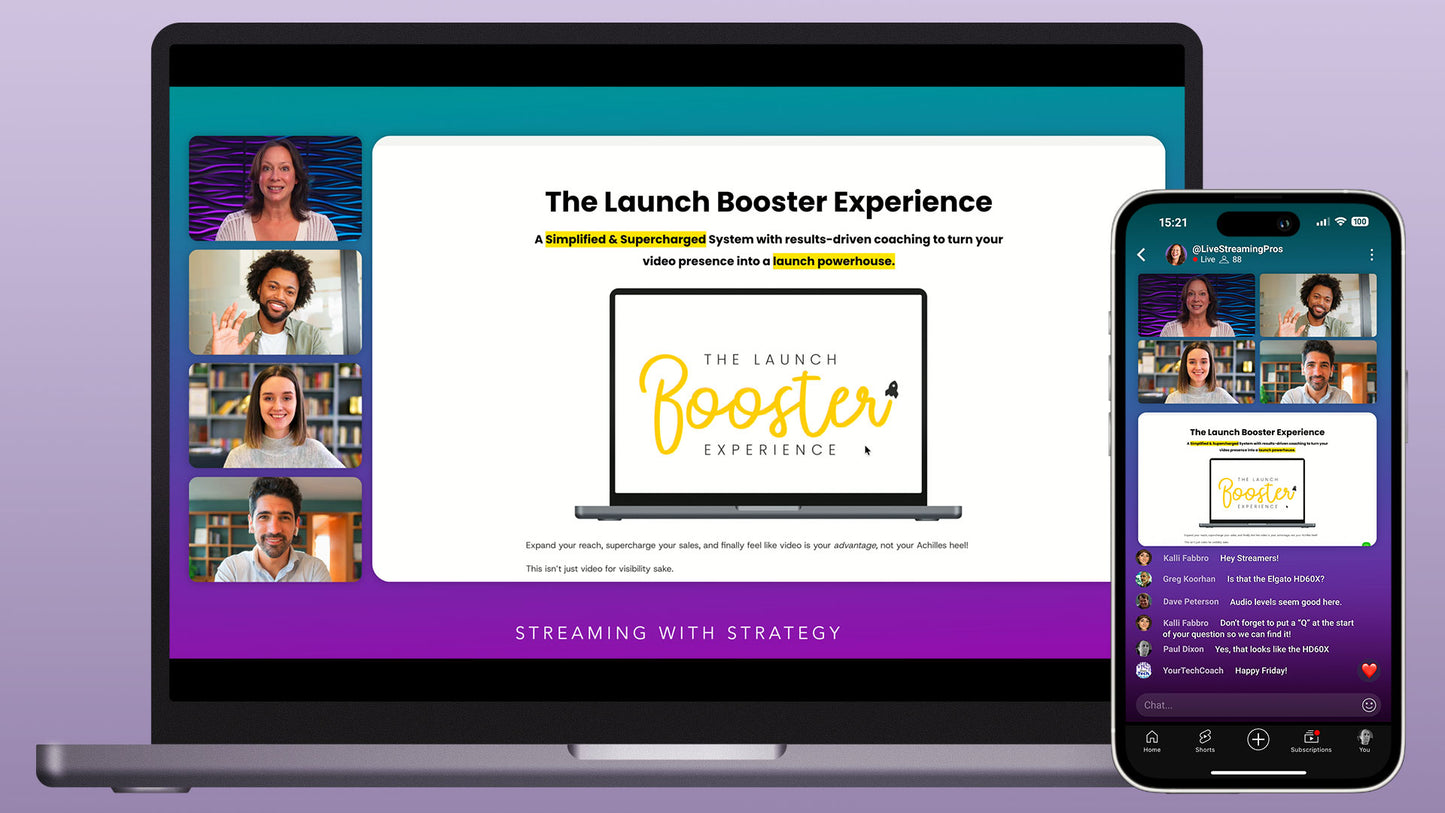
Make your content look professional on every platform and device with this fully customizable dual-layout Ecamm Profile.
WHAT YOU'RE GETTING:
- Customizable Luna Profile
- 25+ Pre-built Scenes
- Horizontal & Vertical Layouts
- Vertical Safe Zone Overlay
- PDF Help Guide
COMPATIBILITY:

CUSTOMIZABLE:
The scenes in this Profile were built using Ecamm's native shape and text overlays. You can easily change colors, borders, fonts, and other visual elements to match your own branding — no external graphics software needed.
Most of the interview scenes include optional name placeholders for you and your guests. These can easily be disabled, along with the text at the bottom of each scene.
HOW IT WORKS:

This profile is designed for Ecamm's dual mode. Each scene includes a horizontal and a vertical layout. The horizontal layout is optimized for larger screens such as computers, tablets, and TVs, while the vertical layout is designed for mobile viewing.
Most of the vertical layouts are designed for live streaming — they leave space above and below for live chat and other mobile interface elements. A few layouts use more of the available space, which works better for non-live content.
Note: The positioning of elements may vary slightly depending on the screen size of the mobile device being used to view the content.
Streaming Options:
- Just Horizontal
- Just Vertical
- Horizontal & Vertical together
SCENES INCLUDED:
This profile includes the following scenes: single camera, interviews, screen shares, comments, and text. Each scene has vertical and horizontal layouts.
EASY TO SETUP:
All you need to do to get started is to open the provided Profile in Ecamm. This will load all the pre-built scenes into your software.
ALTERNATIVE DESIGN:
This product is also available in our NOVA design, offering the same layouts and assets with a different visual style.
OPTIONAL ADD-ONS:
Expand this Profile with optional Podcast Promo, Call to Action, Timer, and Zoom scenes that match the design. Browse the full LUNA collection.
Important: this Profile requires Ecamm V4.5. Dual Mode requires a Pro Plan.